Releasing music today is easier than ever—but choosing the right distribution platform can feel overwhelming, especially if you’re a beginner. Among dozens of options, DistroKid consistently appears at the top of search results, recommendation lists, and artist discussions.
But popularity alone doesn’t equal suitability. Before you sign up, you need a clear, structured understanding of how DistroKid works, what it offers, what it doesn’t, and whether it truly fits your goals as an independent artist.
This guide is designed to answer one simple question in depth:
Is DistroKid the right music distribution platform for beginners?
Let’s break everything down—step by step.
What DistroKid Is and Why It Matters for Beginners
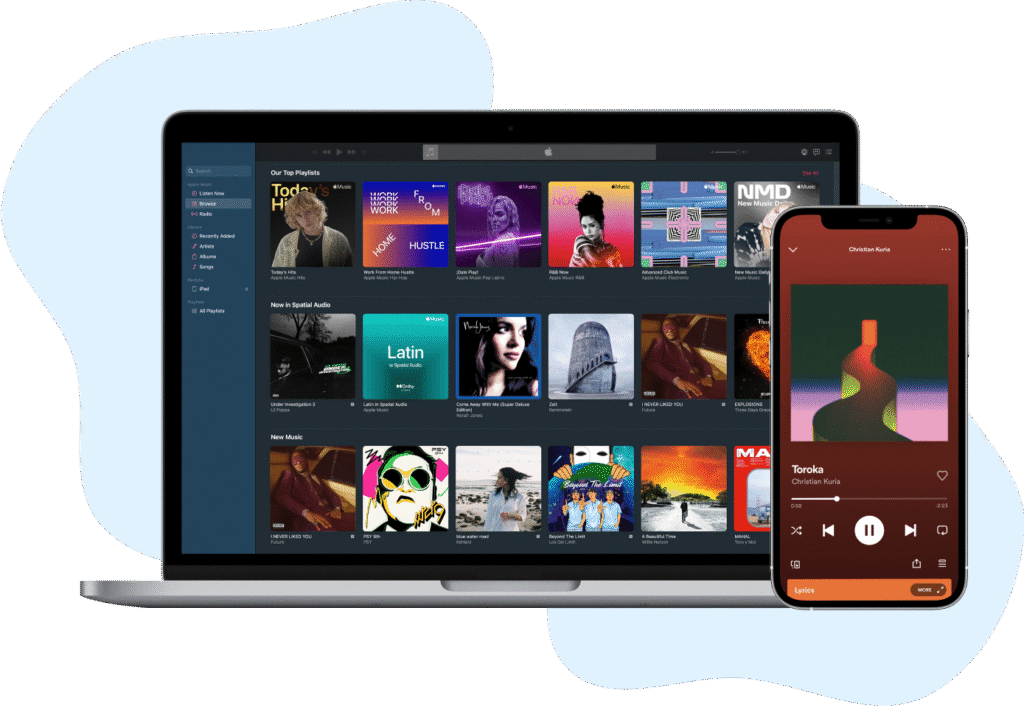
At its core, DistroKid is a digital music distributor. It acts as the middleman between you (the artist) and streaming platforms like Spotify, Apple Music, Amazon Music, TikTok, and dozens more.
Without a distributor, your music simply won’t reach these platforms.
Why Digital Distribution Is Essential Today
Think of streaming platforms as giant shopping malls. Millions of listeners walk through them every day—but you can’t just walk in and put your music on the shelves. Distributors like DistroKid are the licensed vendors that make this possible.
For beginners, this matters because:
- You don’t need a record label
- You don’t give up ownership
- You don’t need industry connections
- You can release music globally from day one
How DistroKid Changed the Game
Before DistroKid, most distributors charged per song or per album, or took a percentage of royalties. DistroKid introduced a radically simple model:
one annual fee, unlimited uploads, 100% royalties kept by the artist.
That single change made it especially attractive to beginners who want to experiment, learn, and release music frequently without worrying about extra costs.
How DistroKid Works: A Beginner-Friendly Explanation
If you’re worried that distribution might be technical or confusing, here’s the good news: DistroKid is one of the easiest platforms to use in the industry.
The Music Upload Process Explained Simply
Uploading music on DistroKid follows a clear, linear workflow:
- Create an account
- Choose a subscription plan
- Upload your audio file (WAV recommended)
- Add song information (title, artist name, genre)
- Select streaming platforms
- Choose release settings
- Submit
That’s it. No contracts. No approval interviews. No waiting for human review in most cases.
How DistroKid Sends Your Music to Streaming Platforms
Once you submit your release, DistroKid automatically delivers your music to each platform you selected. Processing times vary by platform, but DistroKid is known for fast delivery, especially to Spotify and Apple Music.
Streaming Platforms Supported by DistroKid
DistroKid distributes to over 150 digital platforms, including:
- Spotify
- Apple Music
- Amazon Music
- YouTube Music
- TikTok & TikTok Music
- Instagram & Facebook
- Deezer
- Tidal
For beginners, this global reach removes a massive barrier to entry.
DistroKid Pricing Plans Explained for Beginners
Pricing is where many beginners hesitate. Let’s simplify it.
Musician Plan: Best Starting Point for Solo Artists
The basic Musician plan is designed for one artist name and includes:
- Unlimited song and album uploads
- Distribution to all supported platforms
- 100% royalty ownership
If you’re releasing music under a single artist identity, this plan is more than enough to get started.
Musician Plus Plan: When Does It Make Sense?
Musician Plus includes everything in the basic plan, plus:
- Custom release dates
- Daily streaming and sales stats
- Multiple artist names
- Enhanced analytics
For beginners who care about branding, planning releases, and tracking performance, this upgrade is often worth it.
Label Plans: Not for Most Beginners (Yet)
Label plans are built for managing multiple artists. If you’re just starting out, you can safely ignore these—for now.
Royalties and Payments: How You Actually Get Paid
Let’s talk about what matters most: money.
Keeping 100% of Your Royalties
DistroKid does not take a cut of your royalties. Whatever streaming platforms pay for your music is 100% yours.
This is a major advantage compared to distributors that take 10–30% of earnings.
How and When Payments Are Made
DistroKid collects earnings from platforms and shows them in your dashboard. You can withdraw funds via:
- PayPal
- Bank transfer
Payments are transparent, itemized, and updated regularly—no guesswork involved.
Key DistroKid Features Beginners Should Understand
Beyond distribution, DistroKid includes tools that significantly affect your experience.
Unlimited Uploads: Why This Matters More Than You Think
Unlimited uploads encourage experimentation. Beginners can:
- Release singles frequently
- Test different styles
- Learn what resonates with listeners
This freedom is invaluable early in your career.
Split Payments for Collaborations
Collaborating with other artists? DistroKid’s Splits feature automatically divides royalties between contributors based on percentages you set.
No chasing payments. No manual calculations. No awkward conversations.
HyperFollow: Built-In Promotion Tool
HyperFollow creates a landing page for each release, allowing fans to pre-save and follow you on streaming platforms. It’s a simple but effective marketing tool, especially for beginners with small audiences.
Pros and Cons of Using DistroKid
No platform is perfect. Let’s be objective.
Advantages for Beginners
- Extremely easy to use
- Fast distribution
- Unlimited uploads
- 100% royalty retention
- Affordable annual pricing
- No long-term contracts
Limitations You Should Know
- Annual fee required to keep music live
- Some advanced features cost extra
- Customer support is mostly self-service
- No physical distribution
Understanding these limitations upfront prevents disappointment later.
DistroKid Compared to Other Music Distributors
Choosing a distributor is easier when you compare options.
DistroKid vs TuneCore
TuneCore charges per release, which can become expensive for frequent uploads. DistroKid is better for artists who release often.
DistroKid vs CD Baby
CD Baby charges upfront fees but allows music to stay online permanently. DistroKid is better for flexibility and speed, while CD Baby suits long-term static catalogs.
Is DistroKid Legit, Safe, and Trusted?
This question comes up constantly—and for good reason.
Company Reputation and Industry Trust
DistroKid is widely used by independent artists worldwide. Many successful musicians began their careers using the platform.
Copyright, Ownership, and Control
You retain full ownership of your music. DistroKid does not claim rights, publish your work, or control how it’s used.
Common Beginner Mistakes to Avoid on DistroKid
Learning from others’ mistakes saves time.
Metadata Errors
Incorrect artist names, inconsistent capitalization, or wrong genres can delay releases or cause platform issues.
Choosing the Wrong Plan
Many beginners under-estimate how useful advanced analytics and release scheduling can be. Choose wisely.
Who Should Use DistroKid—and Who Shouldn’t
DistroKid is ideal if you:
- Release music frequently
- Want simplicity and speed
- Prefer predictable pricing
- Value full royalty ownership
It may not be ideal if you:
- Release only one song every few years
- Want physical distribution
- Prefer one-time payments only
Is DistroKid Worth It for Beginners? Final Analysis
For most beginners, yes.
DistroKid offers an unmatched combination of affordability, speed, and simplicity. It removes technical barriers and lets artists focus on what matters most: creating and releasing music consistently.
Conclusion
DistroKid has earned its reputation not through hype, but through execution. For beginners entering the world of independent music distribution, it offers clarity in a space often filled with confusion.
If your goal is to release music efficiently, learn through experience, and grow without unnecessary friction, DistroKid is one of the strongest starting points available today.
Frequently Asked Questions
Is DistroKid good for complete beginners?
Yes. Its interface, pricing model, and automation make it one of the most beginner-friendly distributors available.
Do I really keep 100% of my royalties?
Yes. DistroKid does not take a percentage of your streaming income.
What happens if I cancel my subscription?
Your music may be removed unless you pay optional “Leave a Legacy” fees.
How fast does DistroKid upload music to Spotify?
Often within a few days, sometimes faster—though final timing depends on the platform.
Can I switch distributors later?
Yes. Your music is not locked into DistroKid permanently.
Author

admin@666.com
Related Posts
Turn Your Dream Trip Into Reality: How to Book French Polynesia the Smart Way
French Polynesia isn’t just a destination—it’s a symbol. For many Americans, it represents the pinnacle of travel achievement: remote, refined, and impossibly...
Read out allBreville Espresso Machines Compared: Which Model Is Worth Your Money?
Why Choosing the Right Breville Espresso Machine Matters The home espresso market in the United States has evolved dramatically over the past...
Read out allThe Complete Guide to Using Airwallex for International Business Payments
Global commerce no longer belongs only to multinational corporations. Today, U.S.-based startups, e-commerce brands, SaaS companies, agencies, and even solo founders routinely...
Read out all
Why Australians Trust Lenovo for Performance, Durability, and Style
IntroductionLenovo has established itself as a leading technology brand across the globe, and Australia is no exception. With a rich legacy of...
Read out allHow to Build the Perfect Anti-Ageing Skincare Routine with SkinMedica
Introduction: Why SkinMedica Is the Choice for Ageing GracefullyIn the UK, where weather can shift from damp mornings to dry central heating...
Read out allLovehoney UK’s New Arrivals You’ll Want to Add to Cart ASAP
Introduction: The Power of Pleasure and InnovationLovehoney has long been a pioneer in the world of sexual wellness, known for its innovation,...
Read out all